Sora 2 API
Generate with Sora 2. Integrate with one API.
English
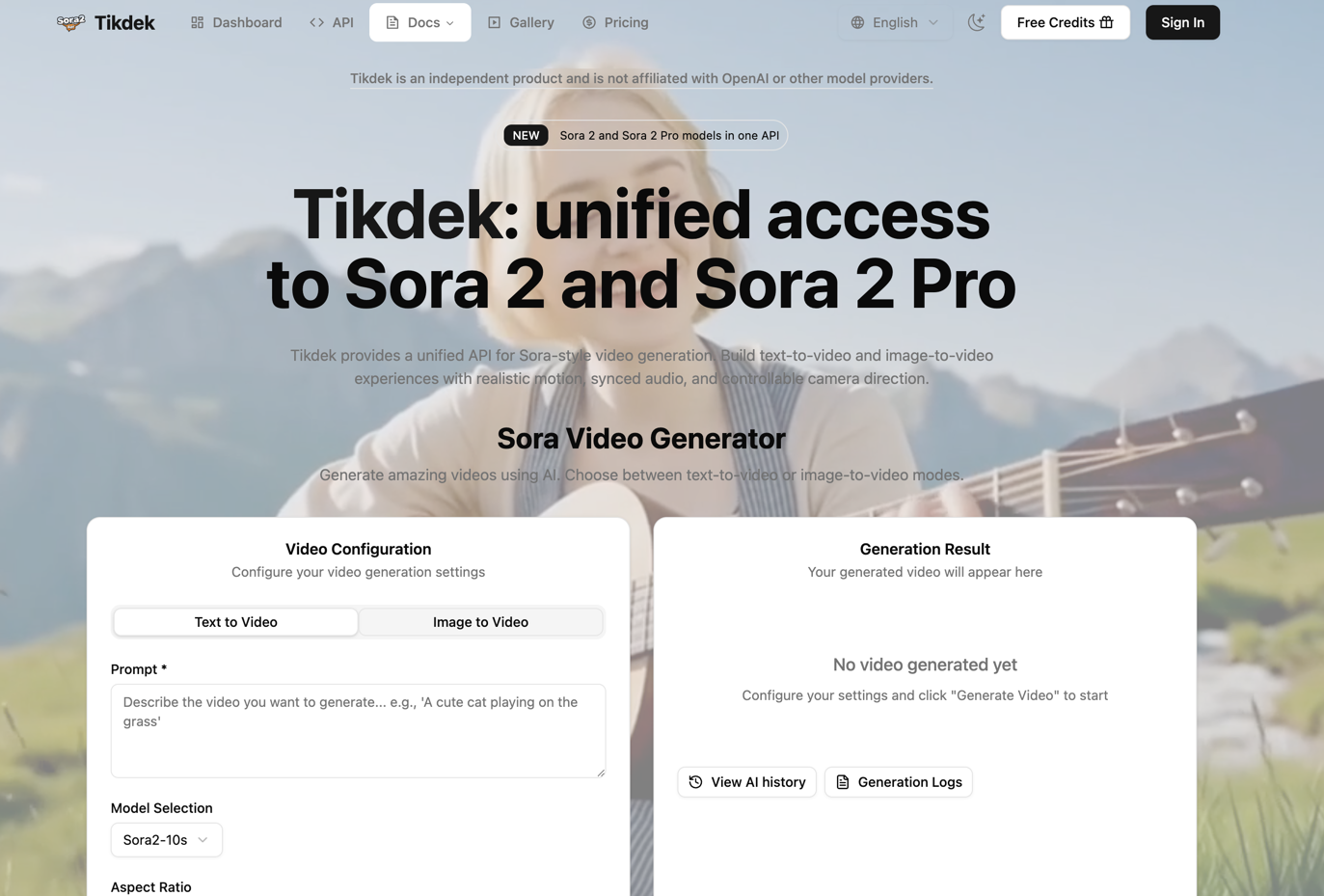
A developer-friendly platform for text-to-video and image-to-video
Welcome to the GitHub home of Sora 2 API, a developer-focused video generation service that provides unified access to Sora 2 and Sora 2 Pro workflows. The platform combines an interactive browser generator with straightforward API tasks, helping creative teams prototype visually and helping engineering teams add video generation to products without operating model infrastructure.
Users can create a video from a written prompt or reference frame, control the intended format and cinematic direction, and retrieve the completed result through a managed task workflow. The service is suitable for both hands-on creative experiments and repeatable production inside applications.
Read the documentation · Explore Sora 2 API · View the gallery · Check status and webhooks
The managed generation lifecycle
- Choose a workflow — Start with text-to-video or image-to-video and select Sora 2 or Sora 2 Pro where available.
- Prepare direction — Describe the subject, action, environment, camera, timing, audio, style, and intended output.
- Add a reference — Provide an authorized source image or other supported context when continuity matters.
- Submit a task — Send the prompt, model, format, and creative options through the browser or authenticated API.
- Track status — Handle queued, processing, successful, and failed states without blocking an application request.
- Receive the result — Retrieve the completed video and verify its content, metadata, and availability.
- Notify and continue — Update the user through polling or supported webhook patterns, then store or deliver the output.
Core capabilities
- Text-to-video — generate scenes from prompts that describe subject, action, environment, pacing, and visual direction.
- Image-to-video — use a reference image as the visual foundation for composition, subject identity, and style.
- Sora 2 and Sora 2 Pro access — select the model workflow that best fits the desired output and production needs.
- Multi-shot storytelling — describe connected shots, cuts, and transitions for more structured visual sequences.
- Synchronized audio — create video concepts that include dialogue, sound effects, and ambience as part of the result.
- Creative controls — configure aspect ratio, camera direction, remix context, character references, and privacy options where supported.
- Managed task execution — submit generation jobs, monitor their status, and retrieve completed video files.
- Unified developer API — integrate generation into SaaS products, content tools, internal systems, prototypes, and automated pipelines.
Built for developers and creative teams
Sora 2 API can support marketing content, social video, storyboarding, product experiences, creative prototyping, internal production tools, and customer-facing generation features. The browser experience helps teams validate prompts before moving stable workflows into code.
API building blocks
| Building block | Role in an integration |
|---|---|
| Authentication | Protect API access with a server-side key or token according to the current documentation. |
| Model selection | Choose the supported video workflow that fits quality, control, latency, and usage needs. |
| Generation request | Submit prompt, reference media, aspect ratio, and supported creative options. |
| Task identifier | Decouple long-running video work from the original web or application request. |
| Status polling | Observe queued, running, successful, or failed task state. |
| Webhooks | Receive asynchronous task updates where supported and verify incoming notifications. |
| Result retrieval | Fetch and validate completed output only after a task reports success. |
| History and usage | Help users understand generations, failures, credits, and operational cost. |
Built for reliable product behavior
Video generation is asynchronous and can fail for several reasons. A production integration should:
- keep API secrets out of browsers, mobile bundles, logs, and public repositories;
- validate prompt length, reference media type, file size, ownership, and accessibility;
- use idempotency or application-level deduplication where repeated submissions are costly;
- set polling intervals, maximum wait times, retry limits, and cancellation behavior deliberately;
- verify webhook authenticity before trusting a status update;
- show users understandable queued, running, failed, and completed states;
- moderate inputs and outputs and respect user privacy, deletion, and retention requirements;
- record enough failure context to support debugging without logging sensitive media unnecessarily.
For builders and creative teams
- SaaS developers can add video generation to customer-facing creative features.
- Internal-tool teams can build campaign, storyboard, or asset-production queues.
- Marketing platforms can turn structured campaign inputs into multiple video concepts.
- Creators and studios can validate prompts in the browser before handing a request to engineering.
- Prototype teams can explore multi-shot, synchronized-audio, and image-guided experiences without operating model servers.
Product principles
- One API, explicit task state — Long-running generation should be observable and asynchronous.
- Browser validation before automation — Prompt and reference experiments can reduce integration guesswork.
- Errors are part of the interface — Failures, retries, and limits should be understandable to developers and users.
- Security belongs on the server — Credentials, webhook secrets, and media access require careful handling.
- Independent platform identity — Unified model access does not imply affiliation with a model provider.
Integration flow
- Create an account and generate an API key.
- Choose text-to-video or image-to-video and prepare the prompt or reference asset.
- Submit a generation task with the required model and output settings.
- Poll the task status, handle completion or failure, and retrieve the resulting video.
- Add appropriate moderation, user consent, error handling, and usage controls in the surrounding product.
Explore Sora 2 API
- Website — Learn about the unified video API platform.
- Sora 2 API — Review the core developer workflow.
- Sora 2 Pro — Explore the Pro-focused experience.
- Image-to-Video API — Build reference-image video workflows.
- Documentation — Read integration guidance and examples.
- Python Guide — Review a Python-oriented integration path.
- Status and Webhooks — Handle asynchronous task updates.
- Gallery — Browse video examples and directions.
- Pricing — Check current plans and usage.
- Blog — Read developer and video-generation articles.
Explore the generator and API at sora2-api.com. For technical support, contact support@sora2-api.com.
Independent product notice: Sora 2 API is an independent third-party platform and is not affiliated with OpenAI or other model providers.
简体中文
面向开发者的文生视频与图生视频平台
欢迎来到 Sora 2 API 的 GitHub 组织主页。Sora 2 API 是一个面向开发者的视频生成服务,为 Sora 2 和 Sora 2 Pro 工作流提供统一访问方式。平台将交互式网页生成器与清晰的 API 任务流程结合,让创意团队可以快速验证视觉方案,也让工程团队无需自行维护模型基础设施即可在产品中加入视频生成能力。
用户可以通过文字提示或参考画面创建视频,控制输出格式与电影化方向,并通过托管任务流程获取完成结果。它既适合手动创意实验,也适合在应用内运行可复用的生产任务。
阅读文档 · 了解 Sora 2 API · 查看画廊 · 任务状态与 Webhook
托管生成生命周期
- 选择工作流:从文生视频或图生视频开始,并在可用时选择 Sora 2 或 Sora 2 Pro。
- 准备导演信息:描述主体、动作、环境、镜头、时间、音频、风格和目标输出。
- 添加参考:当需要连续性时,提供已获授权的来源图片或其他受支持上下文。
- 提交任务:通过浏览器或鉴权 API 发送提示词、模型、格式和创作选项。
- 追踪状态:处理排队、运行、成功和失败,不阻塞应用原始请求。
- 接收结果:获取完成视频并验证内容、元数据和可用性。
- 通知与后续处理:通过轮询或 Webhook 更新用户,再存储或交付输出。
核心能力
- 文生视频:通过描述主体、动作、环境、节奏和视觉方向的提示词生成场景。
- 图生视频:使用参考图固定构图、主体特征与风格基础。
- Sora 2 与 Sora 2 Pro:根据目标效果和生产需求选择合适的模型工作流。
- 多镜头叙事:描述相互关联的镜头、剪切和转场,创建结构更完整的视觉序列。
- 同步音频:生成包含对白、音效和环境声的综合视频概念。
- 创作控制:在支持时设置宽高比、镜头方向、重混上下文、角色参考和隐私选项。
- 托管任务执行:提交生成任务、查询状态并获取完成的视频文件。
- 统一开发者 API:接入 SaaS、内容工具、内部系统、原型和自动化管线。
为开发者与创意团队打造
适用于营销内容、社交视频、分镜、产品体验、创意原型、内部制作工具和面向用户的生成式功能。网页体验可以先验证提示词,再把稳定流程迁移到代码中。
API 构建模块
| 构建模块 | 在接入中的作用 |
|---|---|
| 身份认证 | 按照当前文档通过服务端密钥或 Token 保护 API 访问。 |
| 模型选择 | 根据质量、控制、延迟和用量需要选择受支持视频工作流。 |
| 生成请求 | 提交提示词、参考媒体、宽高比和受支持创作选项。 |
| 任务 ID | 将长时间视频生成与原始网页或应用请求解耦。 |
| 状态轮询 | 观察排队、运行、成功或失败状态。 |
| Webhook | 在支持时接收异步更新,并验证传入通知。 |
| 结果获取 | 仅在任务成功后获取并验证完成输出。 |
| 历史与用量 | 帮助用户理解生成、失败、额度和运营成本。 |
为可靠产品行为而设计
视频生成是异步任务,并可能因多种原因失败。生产接入应当:
- 不在浏览器、移动端包、日志或公开仓库中暴露 API 密钥;
- 验证提示词长度、参考媒体类型、文件大小、所有权与可访问性;
- 当重复提交成本较高时使用幂等或应用级去重;
- 明确设置轮询间隔、最长等待、重试上限和取消行为;
- 在信任状态更新前验证 Webhook 真实性;
- 向用户清楚展示排队、运行、失败和完成状态;
- 审核输入输出,并遵守用户隐私、删除和保留要求;
- 记录足够的失败上下文用于调试,同时避免不必要地记录敏感媒体。
面向开发者与创意团队
- SaaS 开发者:在面向客户的创意功能中加入视频生成。
- 内部工具团队:建立营销、分镜或素材生产队列。
- 营销平台:将结构化活动输入转化为多个视频概念。
- 创作者与工作室:先在浏览器验证提示,再交由工程团队接入。
- 原型团队:无需运行模型服务器即可探索多镜头、同步音频和图片引导体验。
产品原则
- 一个 API,明确任务状态:长时间生成应当异步且可观察。
- 自动化前先网页验证:提示词和参考实验可以减少接入猜测。
- 错误属于接口的一部分:失败、重试和限制应让开发者与用户都能理解。
- 安全必须在服务端:凭据、Webhook 密钥和媒体访问需要谨慎处理。
- 独立平台身份:统一模型访问不代表与模型提供商存在隶属关系。
接入流程
- 创建账户并生成 API Key。
- 选择文生视频或图生视频,并准备提示词或参考素材。
- 携带所需模型和输出参数提交生成任务。
- 轮询任务状态,处理成功或失败,并获取最终视频。
- 在上层产品中加入适当的内容审核、用户授权、错误处理和用量控制。
探索 Sora 2 API
- 官方网站 — 了解统一视频 API 平台。
- Sora 2 API — 查看核心开发者工作流。
- Sora 2 Pro — 探索 Pro 专项体验。
- 图生视频 API — 构建参考图视频工作流。
- 使用文档 — 阅读接入指南与示例。
- Python 指南 — 查看 Python 接入路径。
- 状态与 Webhook — 处理异步任务更新。
- 作品画廊 — 浏览视频案例与方向。
- 价格方案 — 查看当前套餐与用量。
- 官方博客 — 阅读开发者与视频生成文章。
访问 sora2-api.com 了解生成器与 API。如需技术支持,请联系 support@sora2-api.com。
独立产品声明: Sora 2 API 是独立第三方平台,与 OpenAI 或其他模型提供商不存在隶属关系。